Set Authorization Rules
This section describes how to set authorization rules for storage classes.
After setting and enabling authorization rules, users can only use the storage class within specific projects and workspaces.
Prerequisites
-
The KubeSphere Storage extension needs to be installed and enabled on the KubeSphere platform.
-
You need to join a cluster and have the Storage Class Access Rule Management permission in the cluster. For more information, see Cluster Members and Cluster Roles.
Steps
-
Log in to the KubeSphere web console with a user who has Storage Class Access Rule Management permissions and enter your cluster.
-
Click Storage > Storage Classes in the left navigation pane.
-
In the storage class list, click the name of a storage class to open its details page.
-
On the storage class details page, click Operations > Set Authorization Rules.
-
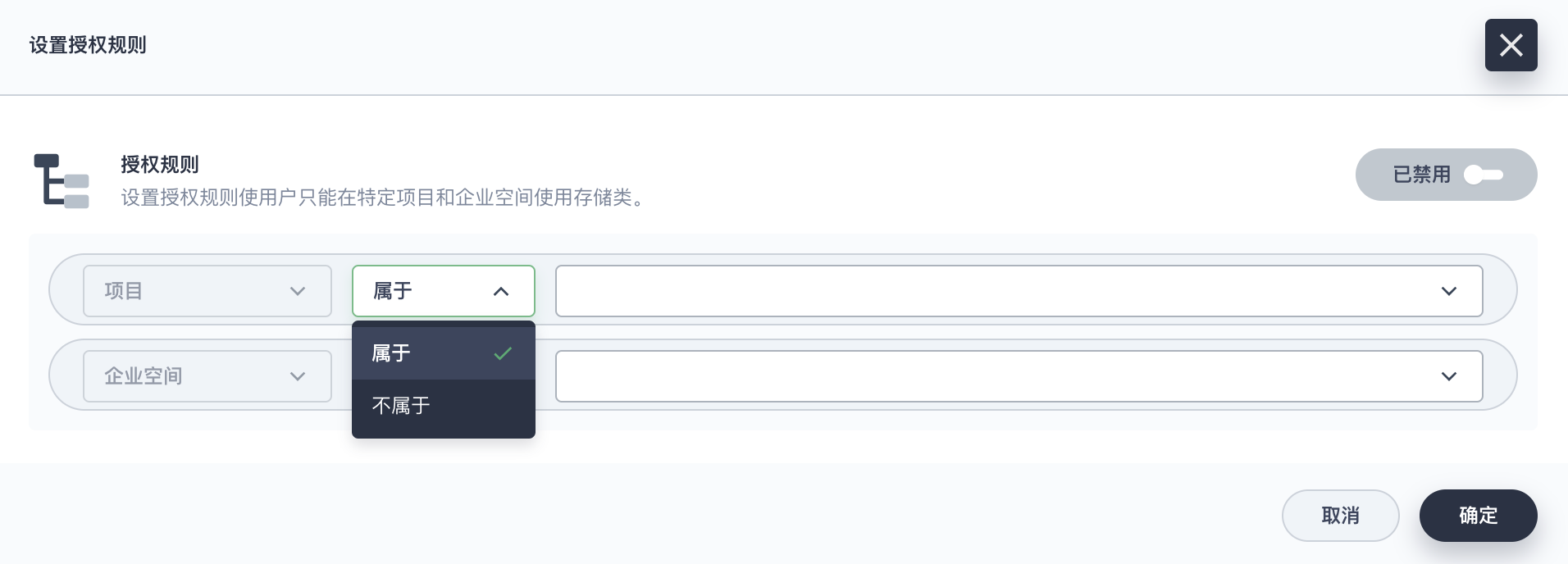
In the Set Authorization Rules dialog box, click the Disabled button on the right side of the page to enable authorization rules.
Note To disable authorization rules, click Enabled on the right side of the page.
-
In the Authorization Rules setting area, configure the usage of this storage class within specific projects and workspaces.
-
After completing the configuration, click OK.