Step 3: Configure WizTelemetry Platform Service
Time updated:2025-12-22 09:26:17
Modify whizard-telemetry-config
If an external OpenSearch database is used, you need to modify the configuration file whizard-telemetry-config.
-
In the left navigation pane of the cluster, select Configuration > ConfigMaps.
-
On the ConfigMaps page, find whizard-telemetry-config. Click
 on the right, then select Edit yaml from the dropdown list.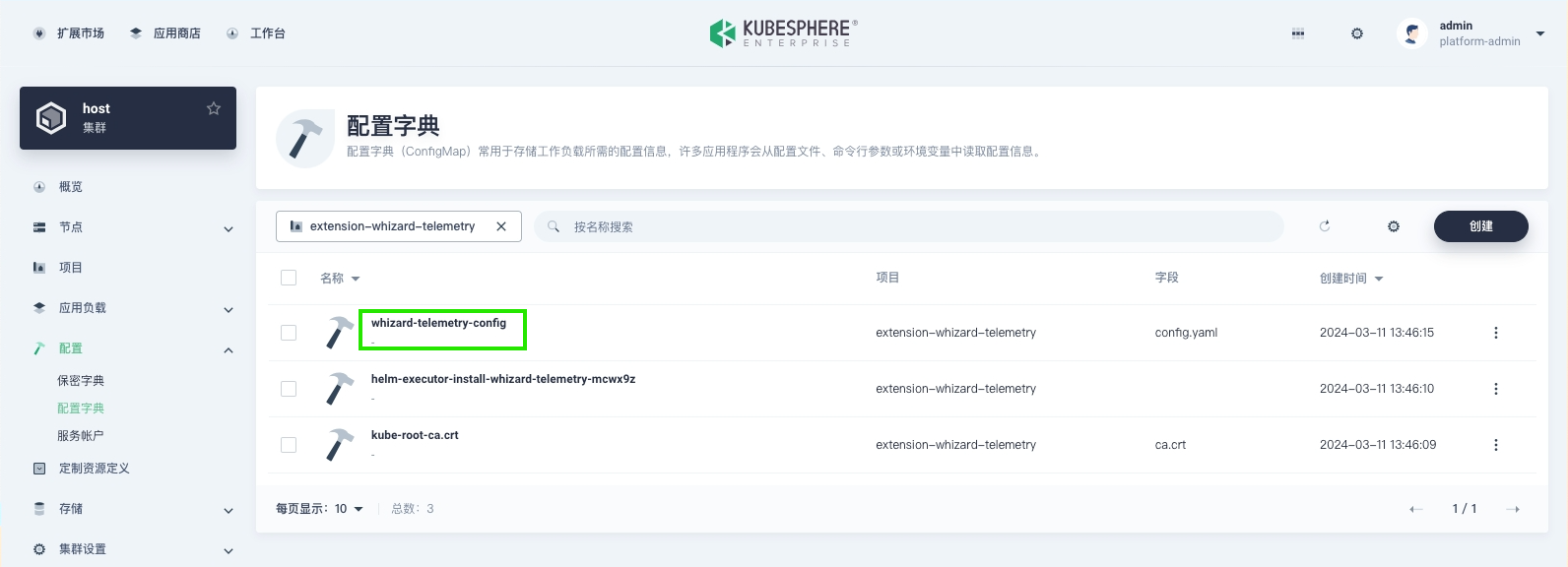
-
Modify the
notification:history:endpoints,logging:endpoints,auditing:endpoints, andevents:endpointsto the OpenSearch address, then click OK.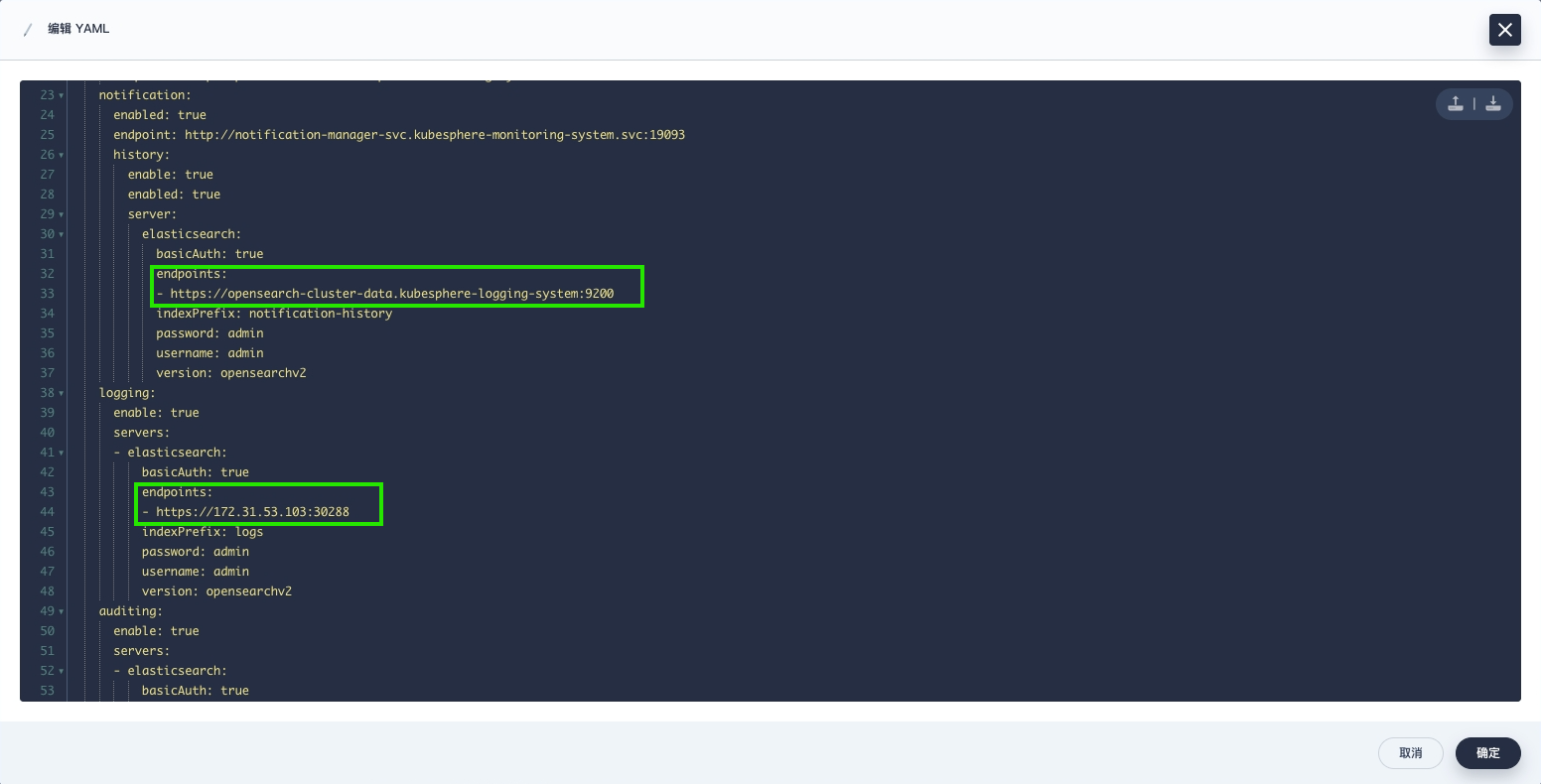
Query Logs in the KSE Interface
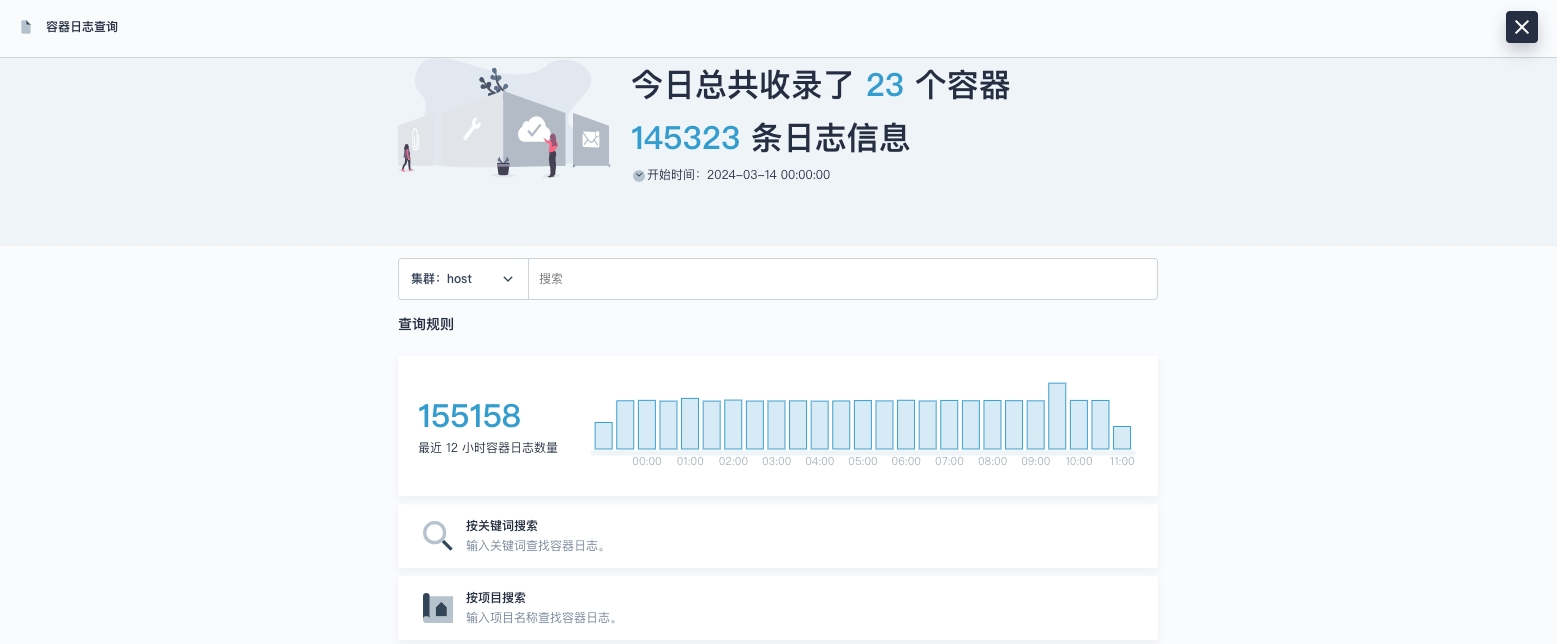
After deployment is complete, logs can be queried from OpenSearch, as shown in the figure.