Running Commands via kubectl
Kubectl is the Kubernetes command-line tool. You can use it to run commands on a Kubernetes cluster to view and manage cluster resources, among other tasks.
The KubeSphere web console provides a Web kubectl for user convenience. By default, only users granted the platform-admin role (e.g., the default account admin) have permission to use Web kubectl for cluster resource operations and management.
This section demonstrates how to use Web kubectl for cluster resource operations and management.
Prerequisites
You need to have the platform-admin role on the KubeSphere platform. For more information, please refer to Users and Platform Roles.
Using Web Kubectl
-
Log in to the KubeSphere web console with a user who has the platform-admin role.
-
In the top right corner of the page, click
 , then select kubectl under the Toolbox.
 -
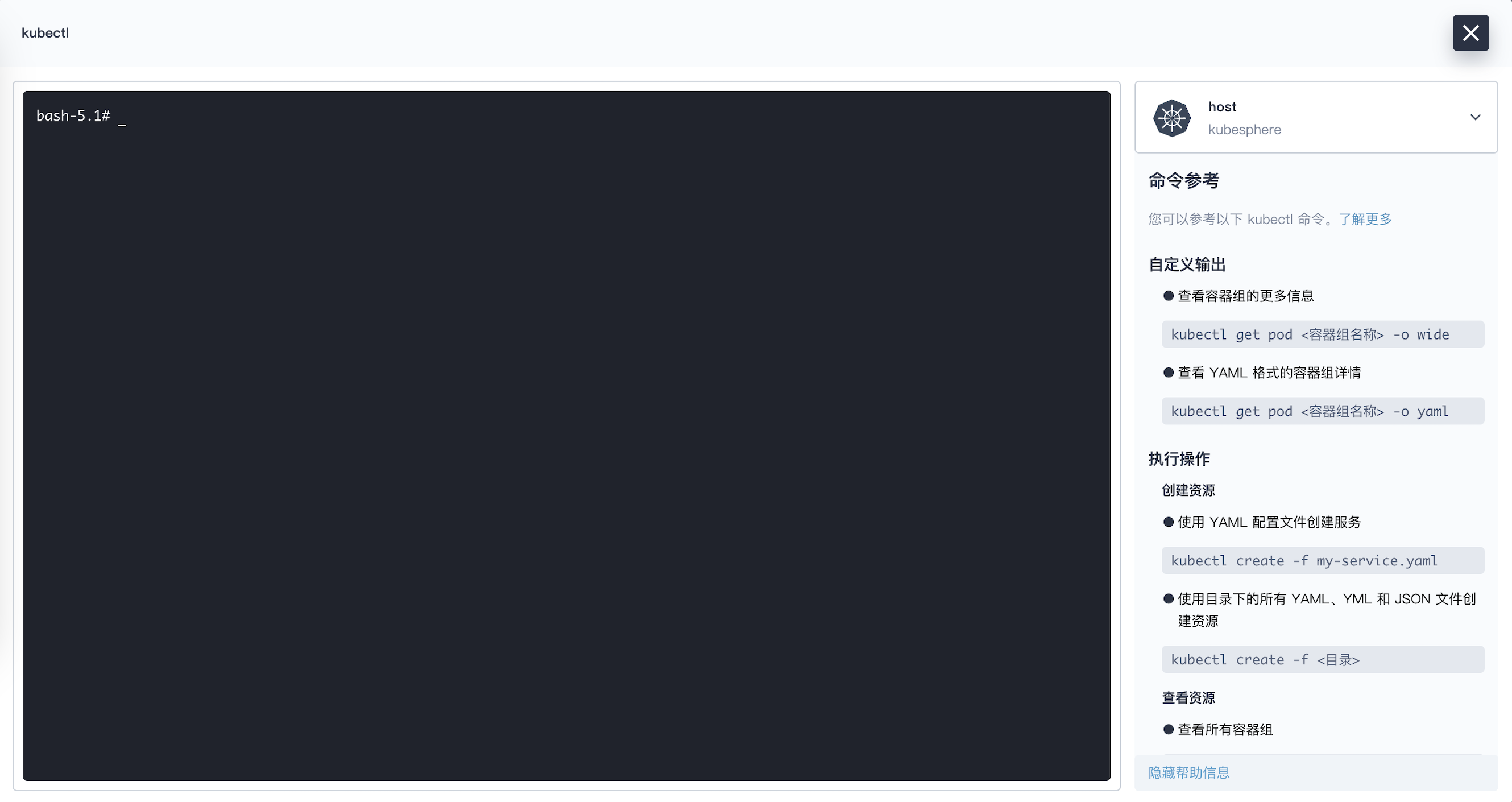
In the pop-up window, view the kubectl interface as shown in the figure below. If there are multiple clusters, you need to first select the target cluster from the dropdown list in the top right corner. If there is only one cluster, this dropdown list is not visible.
-
Enter kubectl commands in the command-line tool to query and manage Kubernetes cluster resources. For example, execute the following command to query the status of all pods in the cluster.
kubectl get pods -A -
Use the following syntax to run kubectl commands in the terminal window:
kubectl [command] [TYPE] [NAME] [flags]Note -
Here, command, TYPE, NAME, and flags are:
-
command: Specifies the operation to perform on one or more resources, such as create, get, describe, and delete.
-
TYPE: Specifies the resource type. Resource types are case-insensitive. You can specify the singular, plural, or abbreviated form.
-
NAME: Specifies the resource name. Names are case-sensitive. If the name is omitted, details for all resources are displayed, e.g.,
kubectl get pods. -
flags: Specifies optional parameters. For example, you can use the -s or --server parameter to specify the address and port of the Kubernetes API server.
-
-
If you need help, run
kubectl helpin the terminal window or refer to the Kubernetes Kubectl Documentation.
-