Enable and Disable Two-Factor Authentication
This section describes how to enable and disable two-factor authentication for the current user.
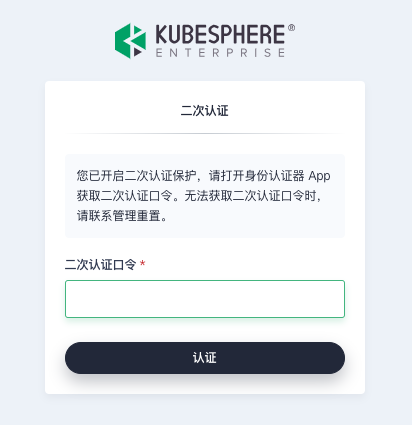
After enabling two-factor authentication, when a user logs in, they must enter a dynamic verification code generated by an authenticator app after providing their username and password. With two-factor authentication, users add an extra layer of security to their account using both a password and their mobile device.
Prerequisites
You have obtained the username and password for the KubeSphere web console.
Enable Two-Factor Authentication
-
Log in to the KubeSphere web console.
-
In the upper-right corner of the page, click the current username, and then select User Settings from the drop-down list.
-
On the Two-Factor Authentication tab, click Enable Two-Factor Authentication.
-
On your mobile phone, search for the keyword "Authenticator" or "身份认证器" in major app stores to download an authenticator app. Google Authenticator is recommended. After installation, click Next in the KubeSphere web console.
-
Open the authenticator app and click "Scan QR Code" to scan the QR code on the right. After scanning, click Next in the KubeSphere web console.
-
Enter the dynamic verification code generated by the authenticator app, and click Verify and Enable to enable two-factor authentication.
At this point, two-factor authentication is enabled. The next time you log in to the KubeSphere web console, you must enter the dynamic verification code generated by the authenticator app after providing your username and password.
Disable Two-Factor Authentication
-
Log in to the KubeSphere web console.
-
In the upper-right corner of the page, click the current username, and then select User Settings from the drop-down list.
-
On the Two-Factor Authentication tab, click Disable Two-Factor Authentication.
-
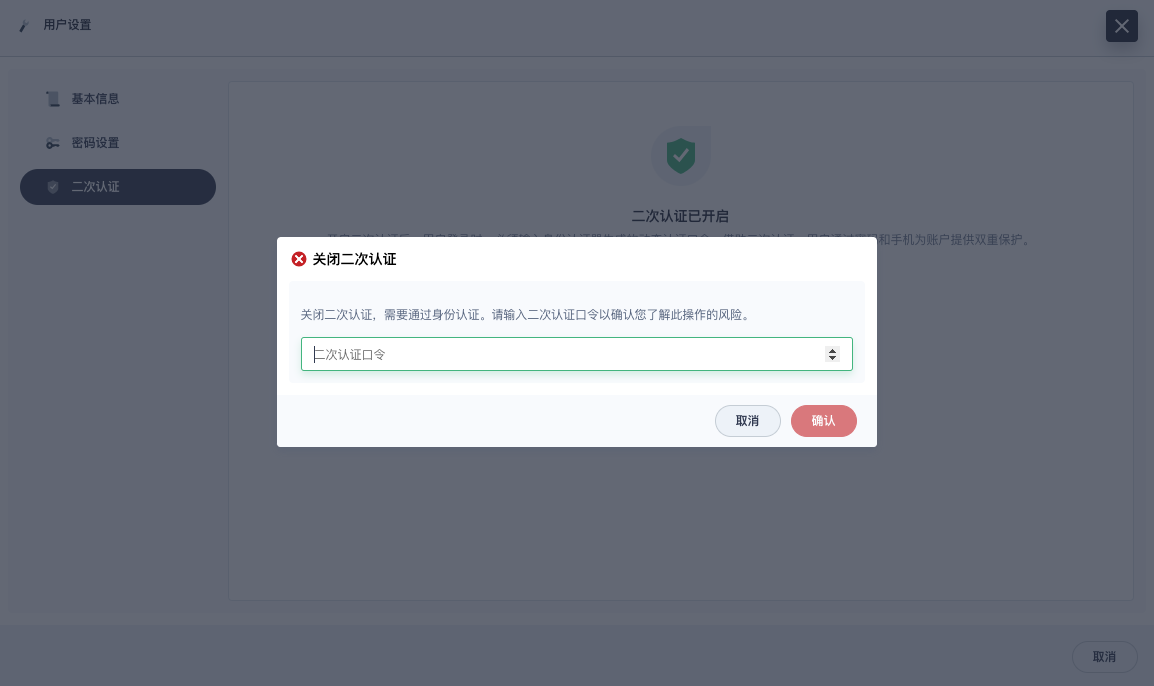
In the Disable Two-Factor Authentication dialog box, enter the dynamic verification code generated by the authenticator app, and then click OK.
Unable to Obtain the Dynamic Verification Code
If you are unable to obtain the two-factor authentication dynamic verification code and cannot log in, contact an administrator to execute the following command to disable two-factor authentication.
kubectl annotate user <USERNAME> iam.kubesphere.io/totp-auth-key-ref-