Platform Introduction
KubeSphere employs a fine-grained access control mechanism. The KubeSphere web console displays differently depending on the role of the logged-in user.
This section introduces the modules and features of the KubeSphere web console from the perspective of a user with the platform-admin role.
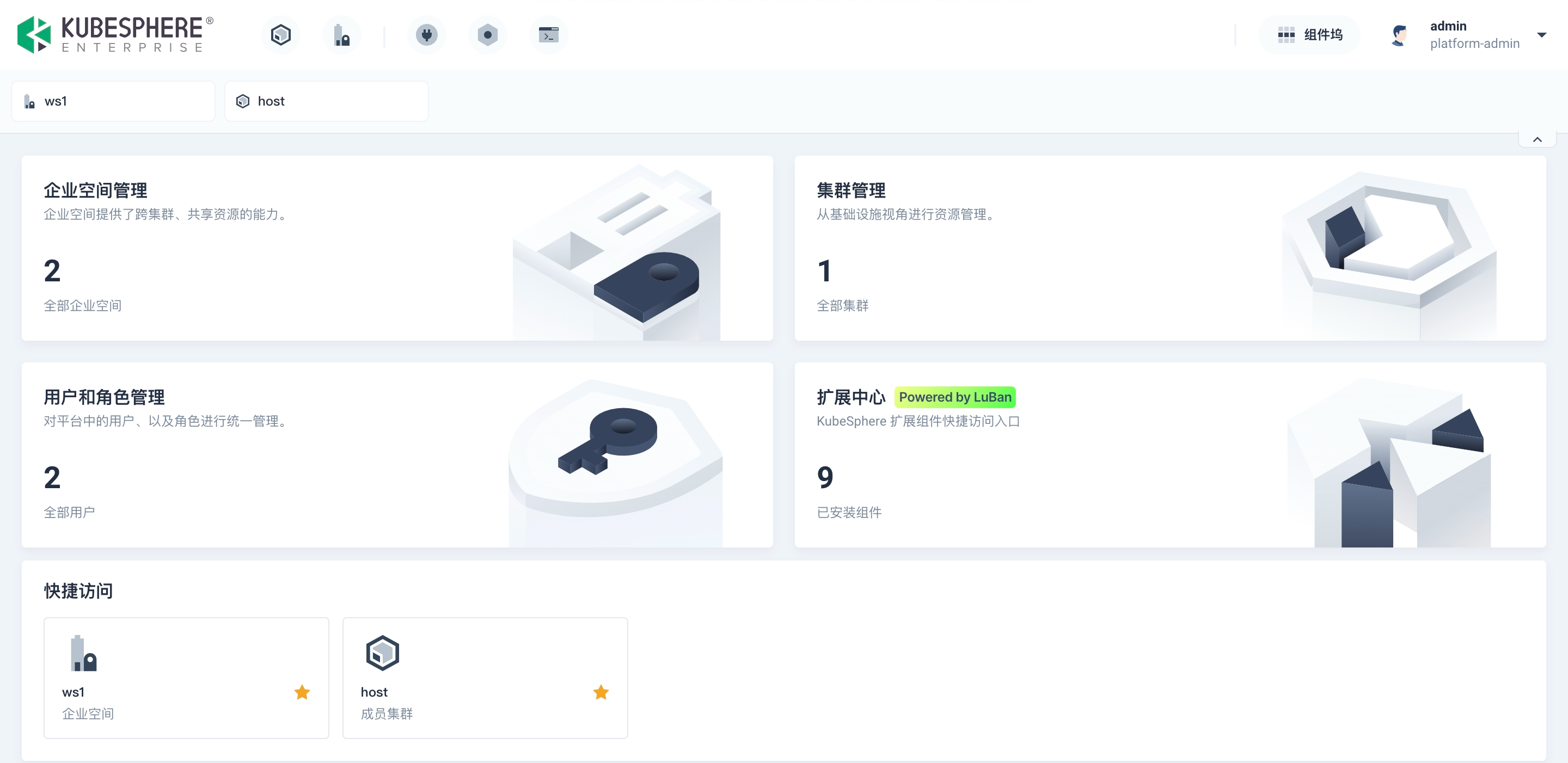
| Module | Function |
|---|---|
Top Navigation Bar |
The top navigation bar displays the management entries for clusters and workspaces by default. You can also customize component entries in the Component Dock to add components to the top navigation bar for quick access. |
Component Dock |
The Component Dock is the global access point for the Extensions Center, Platform Settings, Access Control, App Store, various extensions, and the Toolbox. |
Quick Access Bar |
Below the top navigation bar, the clusters and workspaces added to the Quick Access are displayed. Click |
Workspace |
The page you land on after logging in is the Workspace. Click the logo in the top-left corner to return to the Workspace page.
|

| Note |
|---|
For detailed introductions to each feature, please refer to the corresponding management guides. |