Deploy and Access Bookinfo
As an open-source service mesh solution, Istio provides powerful traffic management capabilities for microservices. The KubeSphere Service Mesh extension integrates Istio, offering users a consistent microservices management experience.
This section demonstrates how to deploy the sample application Bookinfo, which consists of four independent microservices, and how to access the application via NodePort.
Introduction to Bookinfo
The Bookinfo application displays a book information page, similar to a category in an online bookstore. This page shows a book’s description, details (ISBN, number of pages, etc.), and several related reviews.
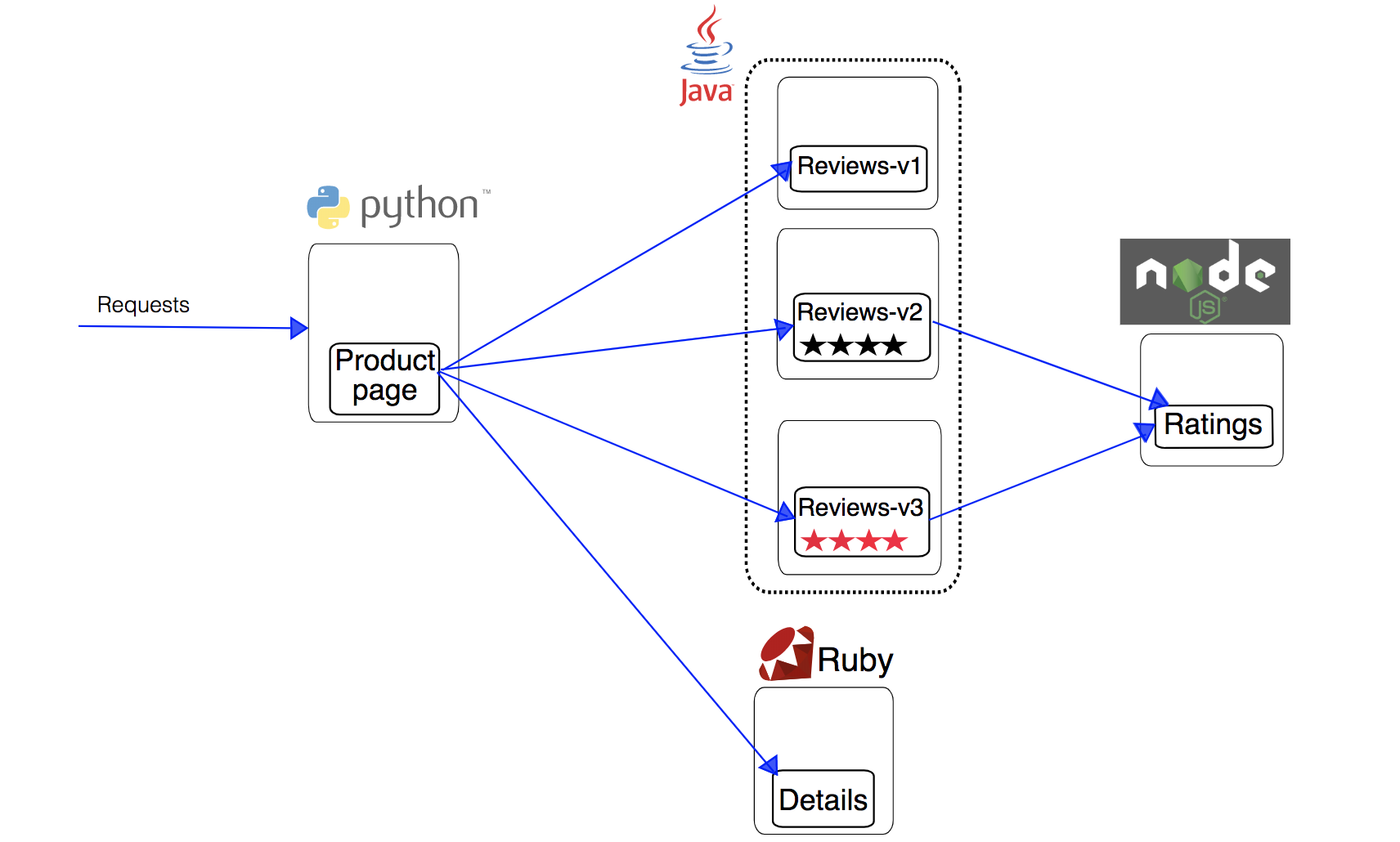
The Bookinfo application consists of the following four independent microservices.
-
The productpage microservice calls details and reviews to generate the page.
-
The details microservice contains book information.
-
The reviews microservice contains book-related reviews and also calls the ratings microservice.
-
The ratings microservice contains rating information composed of book reviews.
The reviews microservice has 3 versions:
-
Version v1 does not call the ratings service.
-
Version v2 calls the ratings service and displays ratings using 1 to 5 black star icons.
-
Version v3 calls the ratings service and displays ratings using 1 to 5 red star icons.
The following diagram illustrates the end-to-end architecture of this application. For more details, please refer to Bookinfo Application.
Prerequisites
-
Prepare a project (e.g., demo-project) and a user (e.g., project-regular) who has been invited to that project. This user should have the operator role in the project. For more information, please refer to Control User Permissions.
-
The KubeSphere platform needs to have the KubeSphere Service Mesh and KubeSphere Gateway extensions installed and enabled.
-
Enable the project gateway and enable the Tracing feature for the project gateway. For more information, please refer to Enable a Project Gateway.
Note If you cannot access the Ingress after enabling tracing, please add the annotation
nginx.ingress.kubernetes.io/service-upstream: trueto the Ingress.
Steps
1. Deploy Bookinfo
-
Log in to the KubeSphere web console as the project-regular user.
-
Click Workspace Management and enter the workspace where the project is located.
-
In the left navigation pane, select Grayscale Release > Composed App.
-
Select the project demo-project from the drop-down list in the upper-left corner of the page, then click Deploy Sample Application on the right.
-
In the dialog box that appears, click Next. The Service Settings tab is pre-filled with the required fields for the four deployments (productpage, reviews, details, ratings). You do not need to modify the settings; simply click Create on the Routing Settings tab.
2. Verify if Bookinfo is Deployed Successfully
In the left navigation pane, select Application Workloads > Workloads, and check the running status of these four deployments on the Deployments tab. If the status of all is Running, it indicates that the Bookinfo application has been deployed successfully.
3. Access Bookinfo via NodePort
-
In the left navigation pane, select Application Workloads > Services.
-
Click
 on the right side of productpage and select Edit External Access.
 -
Select NodePort for Access Mode and click OK.
-
Click productpage to enter its details page. Under the Resource Status tab, in the Ports area, you can view the exposed node port.
-
Enter
<Node IP>:<Node Port>in your browser to access Bookinfo from outside the cluster, as shown in the following figure.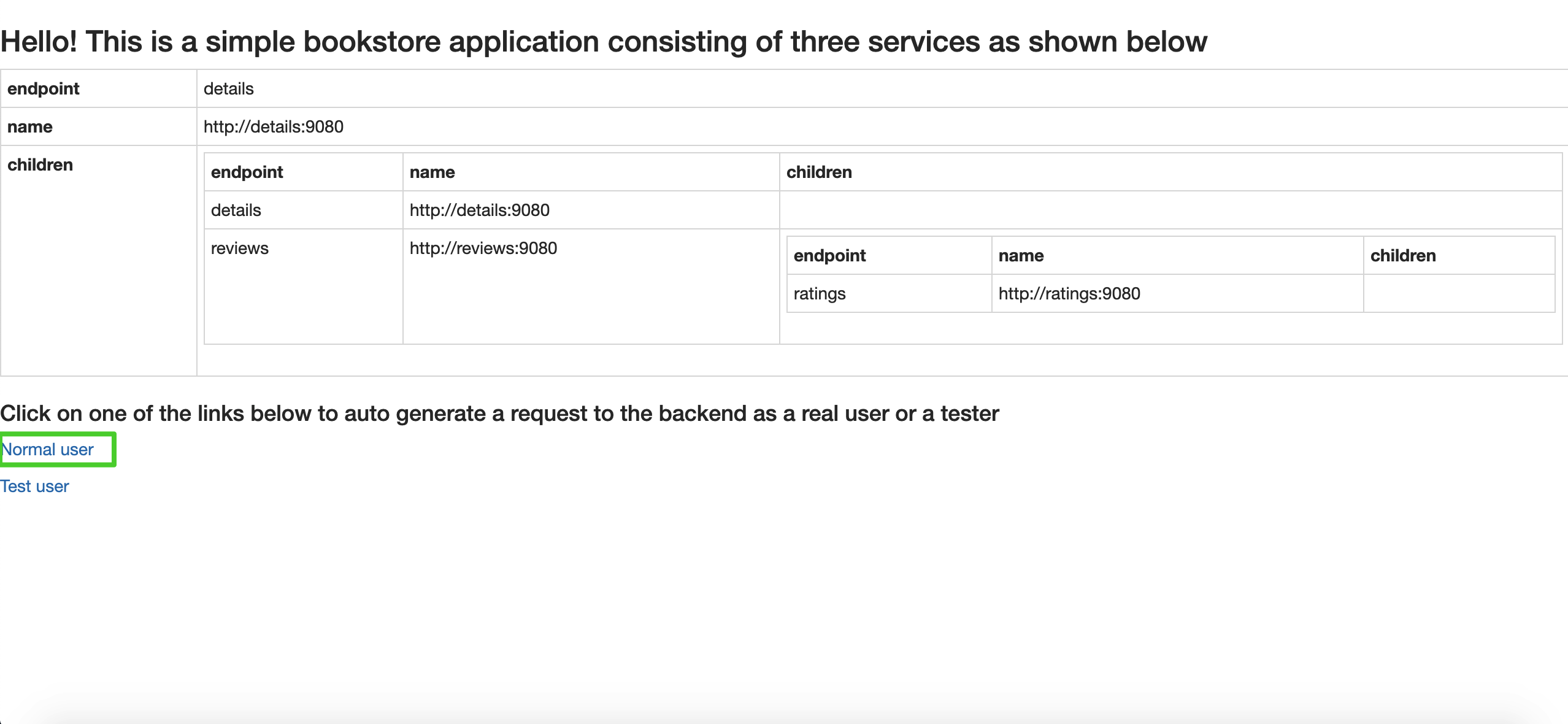
Note Depending on your Kubernetes cluster deployment environment, you may need to open the port in the security group and configure related port forwarding rules.
-
Click Normal user at the bottom left of the page to view the complete Bookinfo page.
The Book Details on the left are provided by the
detailsmicroservice, and the Book Reviews on the right are provided by thereviewsmicroservice. Only Reviewer1 and Reviewer2 appear, with no rating content (ratings), because version v1 of thereviewsmicroservice does not call theratingsservice.If you want to call the
ratingsservice and explore more traffic management features, you can perform a Canary Release for this application.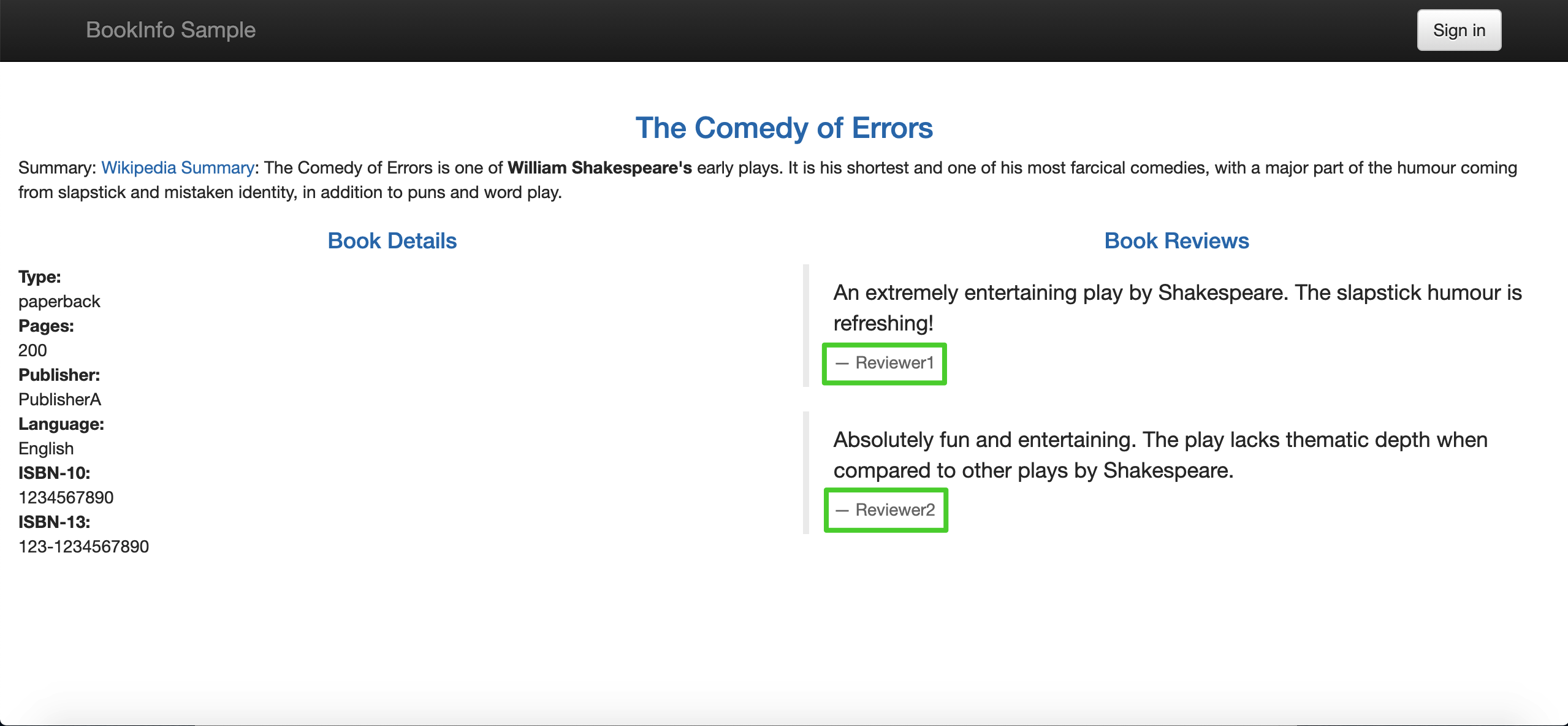
Note KubeSphere provides three grayscale strategies based on Istio, including Blue-Green Deployment, Canary Release, and Traffic Mirroring. For more information, please refer to Grayscale Release.